![App Icon.png]](https://hola.homyhub.com/hs-fs/hubfs/App%20Icon.png?height=40&name=App%20Icon.png)
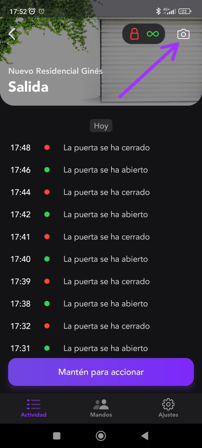
If you are a HOMYHUB device administrator and want to customize your garage card with a photo of your door or any other image, just go to the door detail view > At the top right, tap the camera icon > And from there you can take a photo or select an image from your mobile gallery.